Missed Calls
Overview
The Missed Calls report analyses your missed calls in order to highlight which callers have and haven't been responded to. Each missed call is given a priority rating depending on how many times and how often the caller attempted to make contact. The time window in which a call must be responded to, if it is to be considered handled, is user-definable.
Running the report
Click on the Reports tab and select Missed Calls from the left-hand pane. The screen displaying the parameters of the report will appear, where you can configure the entity, period, filters, options and format of the report.
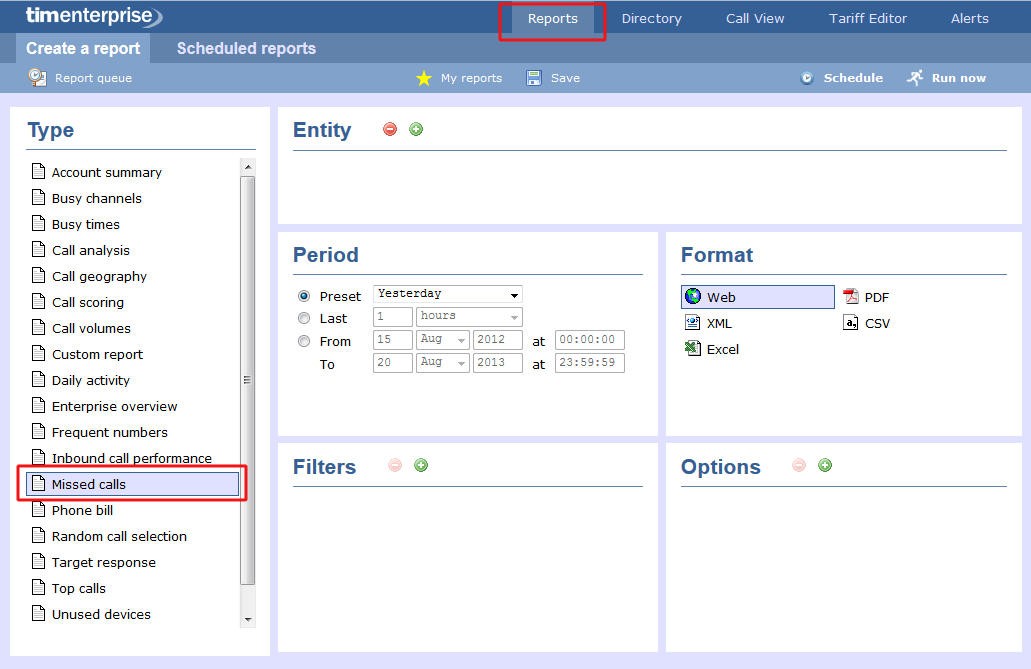
For more information about parameters, see the Report parameters section.
Creating the report
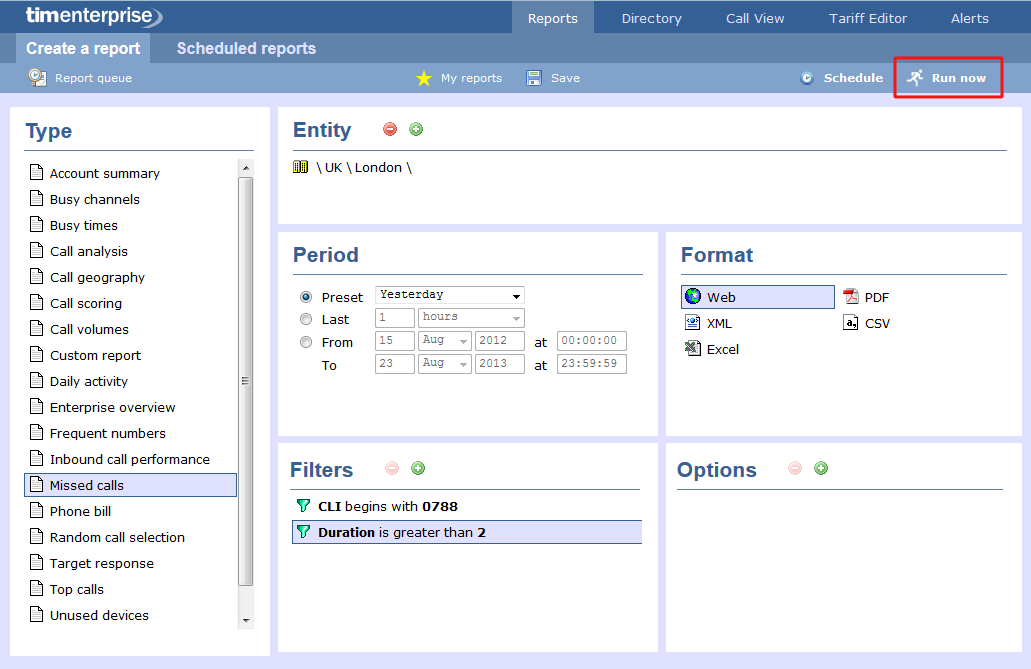
When you have configured the report's parameters, click on the Run now button to run the report immediately; alternatively, you can save the report's definition or schedule the report for future delivery.
Results
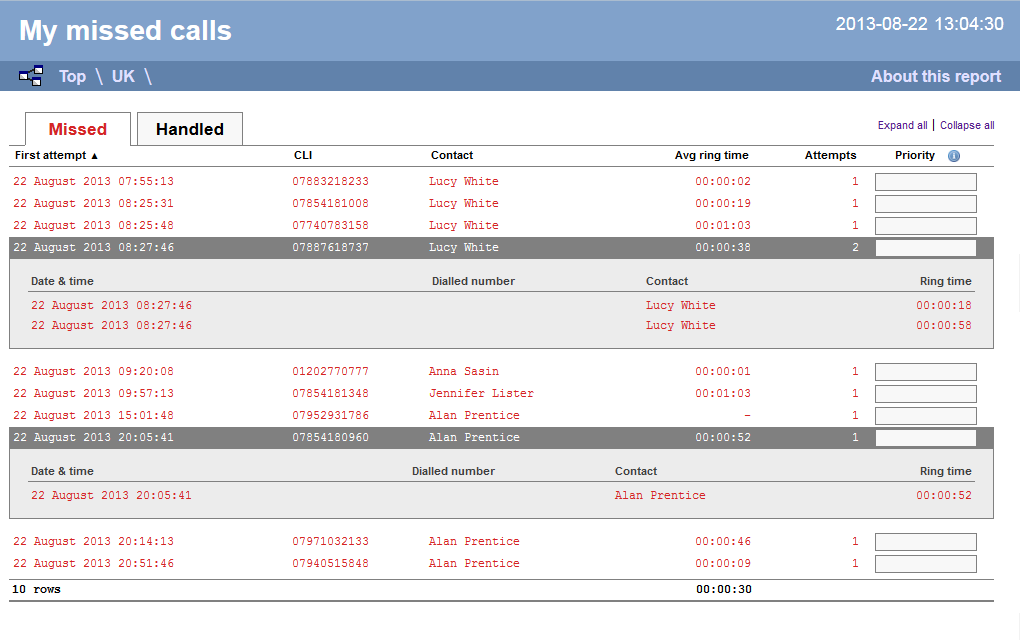
Below is an example of this report's output in Web format. By clicking on the About this report link at the top-right corner of the page, you can review any filters and options that have been applied to the report.
-ed1fce1e0d6c92d52fa291d13288d1f9.png)
As with all reports produced by TIM Enterprise each page of the report includes the following information:
- the report's title
- the date and time that the report was generated
- the name of the report, if applicable
The Web format is the most interactive of all formats: all column headers are click-sortable and most graphical and tabular elements can be drilled down into, allowing deeper analysis of your results. By clicking on the About this report link at the top-right corner of the page, you can review any filters and options that have been applied to the report.
info
The Missed Calls report will only display calls with a CLI, anonymous calls will not appear.
The report consists of two sections: Missed calls and Handled calls:
Missed Calls
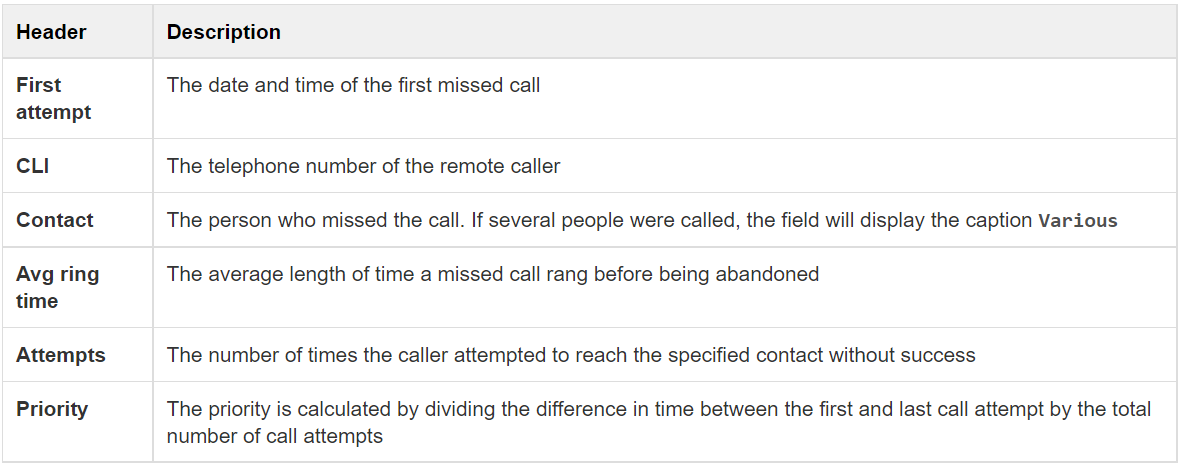
The Missed calls tab displays a table containing the calls that were missed and not responded to. Each column header of the table is described below:
Handled calls
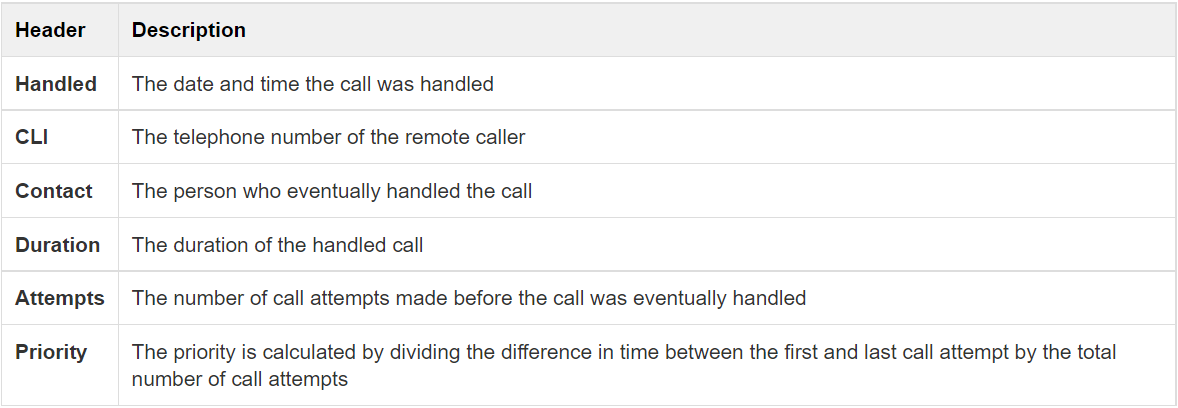
The Handled calls tab displays a table containing the calls that were initially missed but eventually responded to. Each column header of the table is described below:
info
Clicking on an individual call will show an itemised list of all call attempts made by that same caller; clicking on the Expand all link at the top-right corner of the screen will show this itemised list for all missed calls on the page.
To modify your report to cover a larger organisational scope, click on an element of the breadcrumb as shown below:
